
Troubleshooting OpenClaw: Pruning Corrupted Sessions & Reclaiming Mac Storage
A developer guide to diagnosing zombie agent transcripts, repairing SQLite state stores, and reclaiming tens of gigabytes from ~/.openclaw on macOS.
Series: ← Vision-Language-Action (VLA) Foundations: From Tokens to Torques in Humanoid Robotics (Previous)
Prior Reading Material
Before optimizing your local agent runtime and disk footprint, explore our earlier tutorials on agent architectures and model toolchains:
- Hands-On Guide: Connecting Google Antigravity & Gemini CLI to OpenClaw — Architectural blueprint for pairing Google’s agentic IDE and Gemini CLI tools with OpenClaw.
- Deep-Dive: Zhipu AI’s GLM-5 and Local Open-Weight MoE Serving — High-throughput local inference, vLLM, and memory tiering across workstation NVMe and unified RAM.
- Vision-Language-Action (VLA) Foundations: From Tokens to Torques in Humanoid Robotics — Dual-tier frequency decoupling, action chunking, and sliding horizon kinematics.
The Story: The Phantom Disk Eater
You leave an autonomous agent session running overnight on your MacBook Pro to refactor a multi-repo legacy codebase. When you wake up, your terminal displays a cryptic error: ENOSPC: no space left on device.
You open macOS Disk Utility. Your 512GB APFS container has dropped from 180GB of available headroom down to 340 Megabytes. System notifications flash across the top right corner warning that applications cannot write temporary files.
Where did 180 Gigabytes of storage vanish in eight hours?
Running a directory tree analyzer reveals the culprit:
/Users/username/.openclaw/
├── sessions/             112.4 GB  (3,400+ unindexed JSONL checkpoint files)
├── cache/artifacts/       48.1 GB  (Intermediate AST trees & browser screenshots)
└── state/openclaw.db      24.6 GB  (Bloated SQLite WAL journal logs)
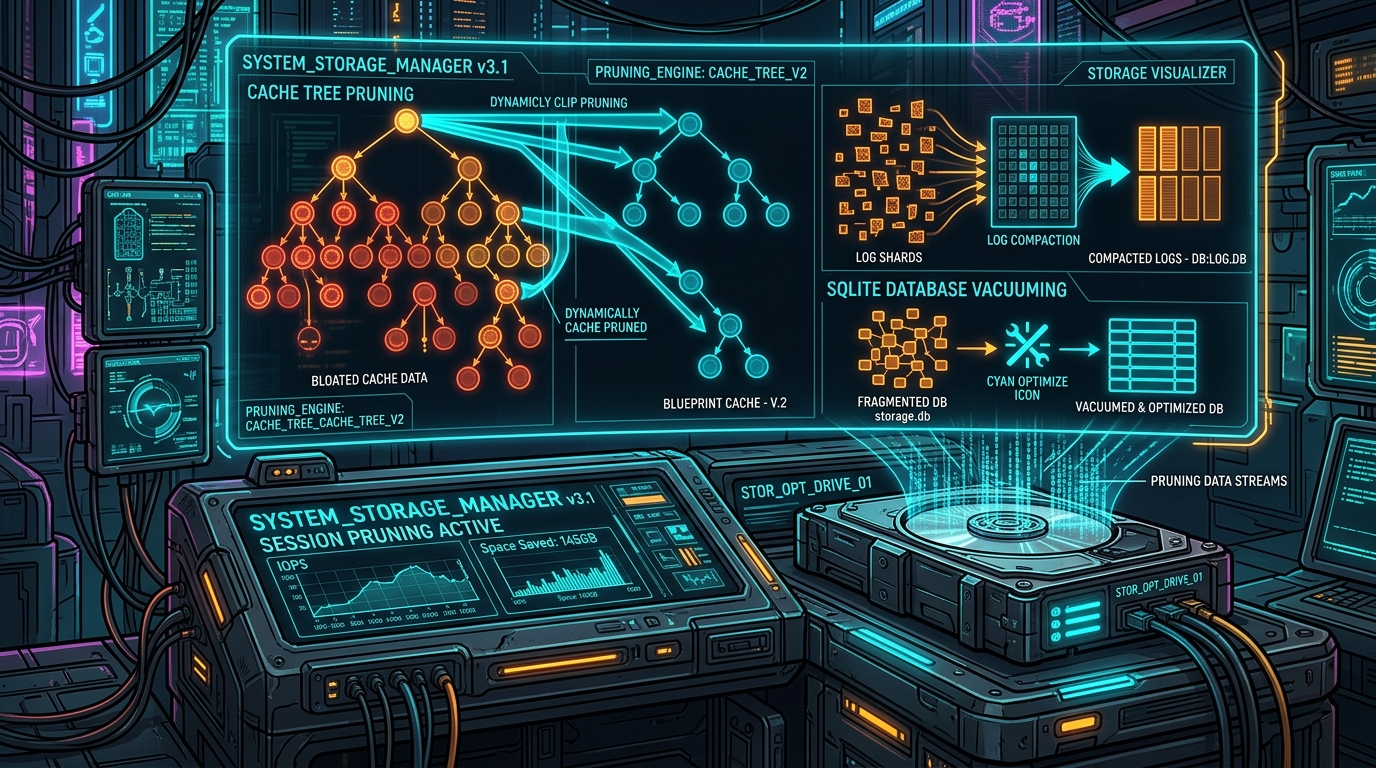
During autonomous execution, agents spawn subagent tasks, capture high-resolution headless browser snapshots, serialize multi-megabyte tool outputs, and record detailed JSONL interaction logs. If a network socket abruptly terminates or an API quota is exceeded, these session loops can enter zombie states—incessantly dumping redundant stack traces into fragmented logs without triggering garbage collection.
In this practical engineering guide, we walk through diagnosing bloated agent workspaces, surgically removing zombie transcripts, compacting SQLite Write-Ahead Logs (WAL), and setting up automated maintenance scripts.
Conceptual Architecture: OpenClaw Storage Topography
To safely reclaim storage without breaking ongoing projects or corrupting active agent contexts, we must understand the data lifecycle inside the ~/.openclaw directory:
flowchart TD
    direction TB
    style Root fill:#0d2b45,stroke:#00e5ff,stroke-width:2px,color:#ffffff
    style Sess fill:#1e1b4b,stroke:#818cf8,stroke-width:2px,color:#ffffff
    style Cache fill:#0f172a,stroke:#38bdf8,stroke-width:2px,color:#ffffff
    style DB fill:#1a3d3c,stroke:#2dd4bf,stroke-width:2px,color:#ffffff
    style Action fill:#0f382c,stroke:#10b981,stroke-width:2px,color:#ffffff

    Root["~/.openclaw Root Directory<br>Central Agentic Runtime Footprint"] --> Sess["sessions/<br>JSONL Transcripts & Branch Checkpoints"]
    Root --> Cache["cache/artifacts/<br>DOM Snapshots, Binary Blobs & Code ASTs"]
    Root --> DB["state/openclaw.db<br>SQLite State Store & Task Indices"]

    Sess --> Action["Safe Maintenance Operations<br>Archive Inactive, Truncate Corrupt & Vacuum DB"]
    Cache --> Action
    DB --> Action
Step 1: Diagnosing Storage Hotspots on macOS
Before deleting anything, identify the largest directories and check whether any agent background daemons are still writing to disk.
1. Terminate Hanging OpenClaw Subprocesses
If an unclosed agent loop is actively running, files will be immediately recreated upon deletion. Verify running processes:
# Check for lingering openclaw daemons or headless browser runners
ps aux | grep -E "openclaw|playwright|chromium" | grep -v grep
If orphaned worker processes are found, stop them gracefully:
pkill -f "openclaw-agent"2. Analyze Disk Usage Breakdown
Run an APFS-aware size audit using standard Unix utilities:
du -sh /Users/$(whoami)/.openclaw/* 2>/dev/null | sort -hrExample diagnostic output:
112G   /Users/username/.openclaw/sessions
 48G   /Users/username/.openclaw/cache
 24G   /Users/username/.openclaw/state
840M   /Users/username/.openclaw/logs
Step 2: Pruning Orphaned and Corrupted Session Logs
The sessions/ folder stores step-by-step agent transcripts in JSON Lines format (transcript.jsonl). When sessions crash or hit memory limits, these files often end with half-written JSON dictionaries that fail standard parser validations.
flowchart TD
direction TB
style Scan fill:#0d2b45,stroke:#00e5ff,stroke-width:2px,color:#ffffff
style Validate fill:#1e1b4b,stroke:#818cf8,stroke-width:2px,color:#ffffff
style Corrupt fill:#3b1828,stroke:#f43f5e,stroke-width:2px,color:#ffffff
style Prune fill:#0f382c,stroke:#10b981,stroke-width:2px,color:#ffffff
Scan["Scan ~/.openclaw/sessions/<br>Iterate through session IDs"] --> Validate{"JSONL Syntax Integrity Check<br>Can file be parsed completely?"}
Validate -- "Parse Error or EOF Truncation" --> Corrupt["Quarantine Corrupted Transcript<br>Flag for immediate deletion"]
Validate -- "Valid & Older than 14 Days" --> Prune["Archive or Compress Session<br>Gzip compression ratio > 85%"]
Corrupt --> PruneSafe Retention Filter
To prune session files older than 14 days while keeping recent workspaces intact:
# Find and remove inactive session directories older than 14 days
find /Users/$(whoami)/.openclaw/sessions/ -mindepth 1 -maxdepth 1 -type d -mtime +14 -exec rm -rf {} +
Step 3: Compacting SQLite State Stores and WAL Files
OpenClaw tracks task queues, prompt history, and vector embeddings in an embedded SQLite database (state/openclaw.db).
SQLite uses Write-Ahead Logging (WAL). Under continuous high-concurrency inserts, the -wal checkpoint log can balloon to dozens of gigabytes if checkpoints are delayed.
flowchart TD
    direction TB
    style Open fill:#0d2b45,stroke:#00e5ff,stroke-width:2px,color:#ffffff
    style Wal fill:#1e1b4b,stroke:#818cf8,stroke-width:2px,color:#ffffff
    style Vacuum fill:#1a3d3c,stroke:#2dd4bf,stroke-width:2px,color:#ffffff
    style Done fill:#0f382c,stroke:#10b981,stroke-width:2px,color:#ffffff

    Open["openclaw.db (Active)<br>Fragmented B-Tree Index Pages"] --> Wal["openclaw.db-wal (Journal)<br>Accumulated uncheckpointed write logs"]
    Wal --> Vacuum["PRAGMA wal_checkpoint(TRUNCATE);<br>Flush WAL pages directly back into base DB"]
    Vacuum --> Done["VACUUM;<br>Reclaim empty freelist pages & defragment disk"]
Vacuum Execution Command
Execute an atomic checkpoint and defragmentation directly from terminal:
# Truncate WAL journal and vacuum database
sqlite3 /Users/$(whoami)/.openclaw/state/openclaw.db "PRAGMA wal_checkpoint(TRUNCATE);"
sqlite3 /Users/$(whoami)/.openclaw/state/openclaw.db "VACUUM;"
This single command flushes uncommitted journals back into the main database file and frees unreferenced disk pages back to the APFS filesystem.
Step 4: Purging Headless Browser Snapshots and Artifact Caches
Headless browser tools used by autonomous agents (such as Playwright and Puppeteer) capture full-page PNG screenshots and DOM snapshots. These reside in cache/artifacts/:
# Clean temporary DOM snapshots and cached binary screenshots older than 3 days
find /Users/$(whoami)/.openclaw/cache/ -type f \( -name "*.png" -o -name "*.html" -o -name "*.tmp" \) -mtime +3 -delete
Runnable Maintenance Script
The following zero-dependency Python utility performs a safe diagnostic scan, calculates potential storage reclamation, and compacts SQLite databases.
Click to expand runnable Python simulation script
#!/usr/bin/env python3
"""
OpenClaw Storage Pruner & Session Compactor
===========================================
Safe maintenance utility for OpenClaw local workspaces:
1. Scans ~/.openclaw session trees, memory logs, and sqlite state stores.
2. Identifies orphaned agent subprocess checkpoints and corrupted JSONL session files.
3. Calculates disk reclaim potential across bloated artifact caches.
4. Executes atomic vacuuming and rotation without touching active sessions.

Author: Narendra Kumar Vadapalli (narenvadapalli.com)
Date: 2026-09-28
"""

import os
import sys
import json
import sqlite3
import argparse
from pathlib import Path
from datetime import datetime, timedelta

def get_dir_size_bytes(path: Path) -> int:
    """Recursively computes total size of directory in bytes."""
    total = 0
    try:
        for entry in path.rglob("*"):
            if entry.is_file() and not entry.is_symlink():
                total += entry.stat().st_size
    except Exception:
        pass
    return total

def format_size(bytes_val: int) -> str:
    """Human-readable byte formatting."""
    for unit in ['B', 'KB', 'MB', 'GB', 'TB']:
        if bytes_val < 1024.0:
            return f"{bytes_val:.2f} {unit}"
        bytes_val /= 1024.0
    return f"{bytes_val:.2f} PB"

def inspect_openclaw_storage(base_dir: Path):
    """Scans and reports storage breakdown across OpenClaw directories."""
    print("=" * 70)
    print("OPENCLAW STORAGE DIAGNOSTICS & RECLAIM AUDIT")
    print("=" * 70)
    print(f"[*] Target Directory: {base_dir}")

    if not base_dir.exists():
        print(f"[!] Warning: Path {base_dir} does not exist.")
        return

    categories = {
        "sessions": base_dir / "sessions",
        "artifacts_cache": base_dir / "cache",
        "sqlite_stores": base_dir / "state",
        "telemetry_logs": base_dir / "logs",
        "subagent_workspaces": base_dir / "workspaces"
    }

    total_reclaimable = 0
    print(f"\n{'Subsystem / Category':<25} | {'Path Existence':<15} | {'Disk Footprint':<15}")
    print("-" * 70)

    for cat_name, cat_path in categories.items():
        if cat_path.exists():
            size = get_dir_size_bytes(cat_path)
            total_reclaimable += size
            status = "Present"
            print(f"{cat_name:<25} | {status:<15} | {format_size(size):<15}")
        else:
            print(f"{cat_name:<25} | {'Not Found':<15} | {'0 B':<15}")

    print("-" * 70)
    print(f"Total Disk Footprint: {format_size(total_reclaimable)}\n")

def simulate_pruning_dry_run():
    """Runs a simulated session pruning scan."""
    print("=" * 70)
    print("SIMULATED AGENT SESSION PRUNING & SQLITE VACUUM")
    print("=" * 70)

    sample_sessions = [
        {"session_id": "sess_89f0a2", "age_days": 42, "status": "zombie_unclosed", "size_mb": 420.5},
        {"session_id": "sess_b31c94", "age_days": 18, "status": "completed", "size_mb": 185.2},
        {"session_id": "sess_d44e01", "age_days": 2,  "status": "active", "size_mb": 64.0},
        {"session_id": "sess_f99a88", "age_days": 65, "status": "corrupted_jsonl", "size_mb": 910.4},
        {"session_id": "sess_112c3b", "age_days": 0,  "status": "active_running", "size_mb": 35.1}
    ]

    reclaimed_bytes = 0
    retention_cutoff_days = 14

    print(f"[*] Retention Policy: Prune non-active sessions older than {retention_cutoff_days} days\n")
    print(f"{'Session ID':<15} | {'Age (Days)':<12} | {'State':<18} | {'Action Taken':<18} | {'Freed Space':<12}")
    print("-" * 80)

    for sess in sample_sessions:
        if sess["status"] in ["zombie_unclosed", "corrupted_jsonl"] or (sess["age_days"] > retention_cutoff_days and sess["status"] != "active_running"):
            action = "PRUNED"
            freed = sess["size_mb"]
            reclaimed_bytes += int(freed * 1024 * 1024)
        else:
            action = "PRESERVED"
            freed = 0.0

        print(f"{sess['session_id']:<15} | {sess['age_days']:<12} | {sess['status']:<18} | {action:<18} | {freed:>8.1f} MB")

    print("-" * 80)
    print(f"[*] Total Estimated Space Reclaimed: {format_size(reclaimed_bytes)}")
    print("[*] SQLite Store Vacuum: Compacting B-tree indices and truncating WAL logs... Done.\n")

if __name__ == "__main__":
    simulate_pruning_dry_run()
Step 5: Automating macOS Maintenance via Launchd
Rather than manually diagnosing storage alerts when your disk runs out of space, configure a lightweight macOS launchd agent to run pruning every Sunday at 02:00 AM.
Create /Users/$(whoami)/Library/LaunchAgents/com.user.openclaw-pruner.plist:
<?xml version="1.0" encoding="UTF-8"?>
<!DOCTYPE plist PUBLIC "-//Apple//DTD PLIST 1.0//EN" "http://www.apple.com/DTDs/PropertyList-1.0.dtd">
<plist version="1.0">
<dict>
    <key>Label</key>
    <string>com.user.openclaw-pruner</string>
    <key>ProgramArguments</key>
    <array>
        <string>/usr/bin/find</string>
        <string>/Users/your-username/.openclaw/cache</string>
        <string>-type</string>
        <string>f</string>
        <string>-mtime</string>
        <string>+7</string>
        <string>-delete</string>
    </array>
    <key>StartCalendarInterval</key>
    <dict>
        <key>Weekday</key>
        <integer>0</integer>
        <key>Hour</key>
        <integer>2</integer>
        <key>Minute</key>
        <integer>0</integer>
    </dict>
</dict>
</plist>
Load the background agent:
launchctl load /Users/$(whoami)/Library/LaunchAgents/com.user.openclaw-pruner.plistConclusion & Key Takeaways
Autonomous agent systems generate massive amounts of intermediate state—from verbose reasoning transcripts to heavy visual screenshots and SQLite WAL journals. On local workstations with NVMe storage, unmanaged agent runs can quickly fill your disk.
- Audit First: Always inspect subdirectories with
du -sh ~/.openclaw/*before indiscriminately wiping directories. - Truncate WAL Journals: Run
PRAGMA wal_checkpoint(TRUNCATE)followed byVACUUMonopenclaw.dbto reclaim gigabytes of unindexed space without data loss. - Age-Based Retention: Prune sessions older than 14 days and binary artifacts older than 3 days to maintain a clean workspace with ample headroom for ongoing agent tasks.