
Part 4: Demystifying OpenUSD: Architecture, Composition Arcs, usdview, and Simulation Assets
A comprehensive guide to OpenUSD (Universal Scene Description): hierarchical scene graphs, LIVRPS composition arcs, step-by-step usdview visualization, and SimReady assets.
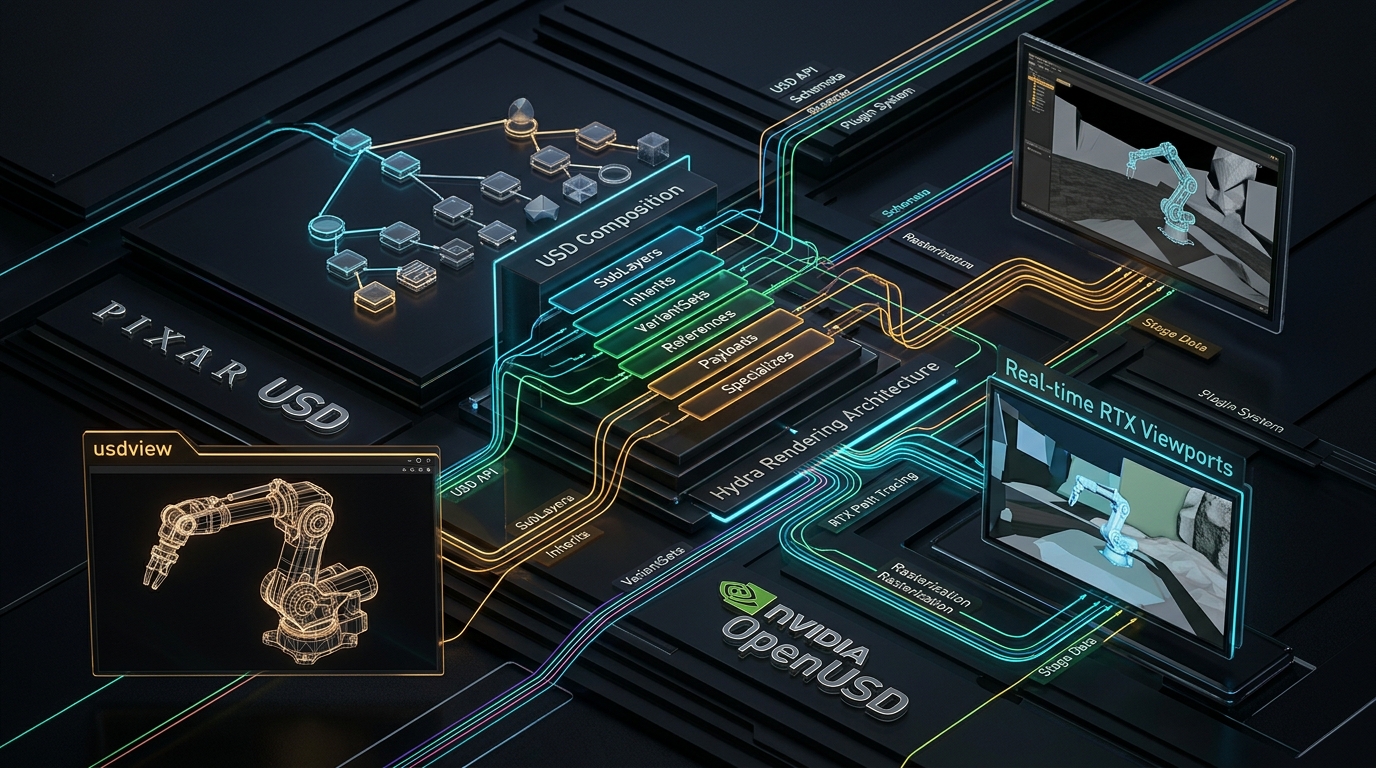
Series: ← Part 3: Unlocking NVIDIA Omniverse: Architecture, OpenUSD, RTX Rendering, and the Industrial Metaverse Ecosystem (Previous) | Part 5: Scaling Physics with Isaac Sim & Omniverse Replicator: GPU Dynamics, Synthetic Sensors, and Domain Randomization (Next) →
Prior Reading Material
Before exploring the technical depths of OpenUSD, review these prerequisite posts across our series:
- Part 1: Unpacking the NVIDIA Physical AI Data Factory (PAIDF) Stack — Overview of NVIDIA’s 3-Computer Architecture, Digital Twin Flywheel, and Sim-to-Real data generation.
- Part 2: Inside NVIDIA Cosmos: World Foundation Models for Physical Commonsense & Video Trajectories — Mixture-of-Transformers (MoT), continuous latent tokenizers, and physics-conditioned trajectory generation.
- Part 3: Unlocking NVIDIA Omniverse: Architecture, OpenUSD, RTX Rendering, and the Industrial Metaverse Ecosystem — Platform foundations, Nucleus live synchronization, and RTX path tracing.
1. Introduction: Why OpenUSD is the Lingua Franca of 3D Worlds
In traditional 3D graphics and engineering pipelines, interchange formats like .obj, .fbx, or .stl were built to convey static geometric snapshots. They fail completely when tasked with modeling complex, multi-agent physical environments with kinematic hierarchies, non-destructive layer overrides, variant configurations, and physically accurate material schemas.
OpenUSD (Universal Scene Description), originally open-sourced by Pixar Animation Studios and standardized alongside NVIDIA, Apple, Adobe, and Autodesk under the Alliance for OpenUSD (AOUSD), is not merely a file format—it is a high-performance extensible software framework for composing, describing, and reading 3D virtual worlds.
In NVIDIA’s Physical AI and Omniverse ecosystems, OpenUSD serves as the universal data contract across CAD tools, physical simulators, and synthetic data generators.
Official OpenUSD Reference & Documentation Hub
| Resource | Technical Description & Official Link |
|---|---|
| OpenUSD Core Specification | Alliance for OpenUSD (AOUSD) & Pixar OpenUSD Portal |
| NVIDIA OpenUSD Overview | NVIDIA Omniverse OpenUSD Overview |
| OpenUSD FAQ & Core Concepts | Omniverse OpenUSD FAQ |
| Sample Content & Asset Packs | NVIDIA OpenUSD Sample Content & Assets |
| Verified AI Agent Skills | NVIDIA Agent Skills for OpenUSD & SimReady |
| LearnOpenUSD Community | LearnOpenUSD Guided Curriculum |
2. Core Concepts: Stages, Prims, Properties, and Layers
OpenUSD structures 3D virtual reality into four foundational abstractions:
- Stage (
UsdStage): The top-level scene graph container. A stage is populated by opening a root USD file and evaluating all composed layers, references, and payloads into a single runtime scene. - Prim (
UsdPrim): The primary nodes within a Stage hierarchy (e.g./World/Robots/KukaArm/Gripper). Prims have types such asXform(transforms),Mesh(geometry),Camera,Light, or physical schemas likePhysicsRigidBodyAPI. - Properties (
UsdAttribute&UsdRelationship):- Attributes: Typed data values that vary over time or remain static (e.g.,
double3 xformOp:translate,float mass = 12.5,color3f diffuseColor). - Relationships: Pointers targeting other Prims in the stage (e.g., linking a mesh to a material schema:
/World/Materials/OmniPBR_Steel).
- Attributes: Typed data values that vary over time or remain static (e.g.,
- Layers (
SdfLayer): The fundamental units of asset persistence on disk (.usd,.usdahuman-readable ASCII,.usdcbinary crate format, or.usdzzero-compression zip package). Layers can be non-destructively stacked.
flowchart TD
    A["UsdStage (Root Scene Graph Container)"] --> B["Root Prim: /World"]
    B --> C["Xform Prim: /World/Environment"]
    B --> D["Xform Prim: /World/Robot"]
    C --> C1["Mesh Prim: GroundPlane"]
    C --> C2["Light Prim: DomeLight"]
    D --> D1["Xform Prim: BaseLink"]
    D1 --> D2["Mesh Prim: ArmSegment (PhysicsRigidBodyAPI)"]
    D2 --> D3["EndEffector: Gripper (Material: OmniPBR)"]

    style A fill:#0d2b45,stroke:#00e5ff,stroke-width:2px,color:#ffffff
    style B fill:#0d2b45,stroke:#00e5ff,stroke-width:2px,color:#ffffff
    style C fill:#1e293b,stroke:#38bdf8,stroke-width:2px,color:#ffffff
    style D fill:#1e293b,stroke:#38bdf8,stroke-width:2px,color:#ffffff
    style C1 fill:#0f172a,stroke:#a855f7,stroke-width:2px,color:#ffffff
    style C2 fill:#0f172a,stroke:#a855f7,stroke-width:2px,color:#ffffff
    style D1 fill:#0f172a,stroke:#a855f7,stroke-width:2px,color:#ffffff
    style D2 fill:#0f172a,stroke:#a855f7,stroke-width:2px,color:#ffffff
    style D3 fill:#0f2b1d,stroke:#10b981,stroke-width:2px,color:#ffffff
3. Engineering Deep-Dive: LIVRPS Composition Arcs
The hallmark of OpenUSD is its non-destructive composition engine. When a stage resolves the value of an attribute on a Prim, it searches through composition arcs according to the strict LIVRPS precedence order:
$$\text{Opinion Strength: } \mathbf{L} > \mathbf{I} > \mathbf{V} > \mathbf{R} > \mathbf{P} > \mathbf{S}$$
| Arc | Name | Precedence | Functionality & Mechanical Behavior |
|---|---|---|---|
| L | Local Opinions | 1 (Highest) | Explicit edits authored directly on the active layer of the current stage. Always wins over referenced or inherited attributes. |
| I | Inherits | 2 | Non-destructive class inheritance where a Prim shares properties from a shared abstract class prim within the same layer stack. |
| V | VariantSets | 3 | Switchable property configurations authored inside the asset (e.g. toggling gripper_type = ["vacuum", "two_finger", "parallel"]). |
| R | References | 4 | Incorporates external .usd files into the current Prim namespace, enabling modular assembly of complex assets without duplicating data. |
| P | Payloads | 5 | Identical to references but lazily loaded. Allows massive multi-gigabyte factory models to open in seconds by only loading geometry when needed. |
| S | Specializes | 6 (Lowest) | Defines fallback specialization behaviors that can be superseded by inherited or local opinions. |
4. Visualizing OpenUSD Files: From usdview to Omniverse Viewers
To inspect, debug, and validate OpenUSD assets, developers have multiple viewing and introspection options depending on the required level of fidelity:
4.1 Pixar usdview: The Diagnostic Powerhouse
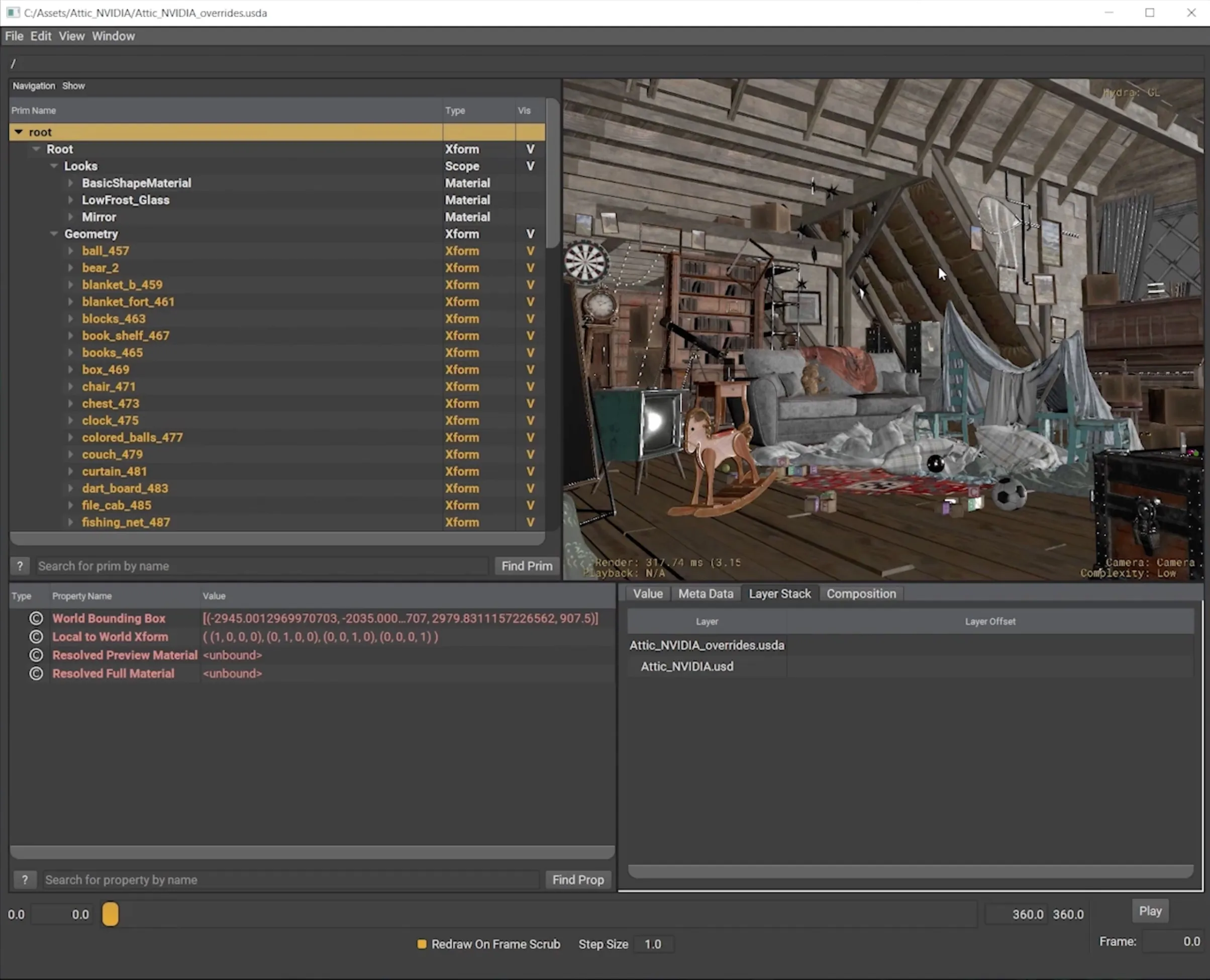
usdview is the reference OpenUSD interactive introspection tool built on top of Hydra (USD’s imaging framework) and PyQt/PySide. It is essential for developers debugging composition arcs, prim hierarchies, and time-sampled transforms.
Step 1: Install OpenUSD Pre-Built Binaries
On macOS, Linux, or Windows, install the official OpenUSD Python package:
pip install usd-coreOr download pre-compiled binaries from the Alliance for OpenUSD GitHub Releases.
Step 2: Launch usdview
Pass any .usd, .usda, or .usdc file path directly to the usdview CLI:
# Launch interactive visualizer
usdview /path/to/robot_cell.usda
Step 3: Inspecting Prim Hierarchies and Composition
Inside usdview:
- Scenegraph Browser (Left Pane): Navigate the stage hierarchy (
/World/Robot/...). - Composition Tab (Bottom Right): Inspect the exact LIVRPS arc that contributed each property value (Local, Reference, Inherit).
- Hydra Render Delegate Switcher: Switch between OpenGL Storm (
HdStorm) and ray-tracing delegates. - Embedded Python Interpreter: Press
Ctrl + \`` (orCmd + `) to open an in-process interactive Python terminal targeting the live stage (usdviewApi.stage`).
4.2 NVIDIA Omniverse Viewers & CAD-to-SimReady Pipelines
For photorealistic RTX path tracing and physical simulation validation:
- Omniverse USD Composer: A full-featured spatial development application supporting physics inspection, lighting adjustment, and live-sync multi-user sessions.
- CAD-to-SimReady Workflows: Utilizing sample assets from the Omniverse Sample Content Library to validate physical schemas (friction, collision meshes, inertia tensors) before feeding assets into Isaac Sim.
flowchart TD
    A["Raw OpenUSD Asset (.usda / .usdc / .usdz)"] --> B{"Choose Visualization Tool"}
    B -->|"Composition Debugging & Inspection"| C["Pixar usdview (Lightweight Hydra / HdStorm)"]
    B -->|"Photorealistic Physics & Sensor Simulation"| D["NVIDIA Omniverse USD Composer & Isaac Sim"]
    C --> C1["Inspect LIVRPS Layer Stacks & Prim Hierarchy"]
    C --> C2["Execute In-Process Python usdviewApi Scripts"]
    D --> D1["Real-Time RTX Path Tracing & PhysX 5 Collision Dynamics"]
    D --> D2["SimReady Asset Validation for Autonomous Robotics"]

    style A fill:#0d2b45,stroke:#00e5ff,stroke-width:2px,color:#ffffff
    style B fill:#0d2b45,stroke:#00e5ff,stroke-width:2px,color:#ffffff
    style C fill:#1e293b,stroke:#38bdf8,stroke-width:2px,color:#ffffff
    style D fill:#1e293b,stroke:#38bdf8,stroke-width:2px,color:#ffffff
    style C1 fill:#0f172a,stroke:#a855f7,stroke-width:2px,color:#ffffff
    style C2 fill:#0f172a,stroke:#a855f7,stroke-width:2px,color:#ffffff
    style D1 fill:#0f2b1d,stroke:#10b981,stroke-width:2px,color:#ffffff
    style D2 fill:#0f2b1d,stroke:#10b981,stroke-width:2px,color:#ffffff
5. Interactive Python Simulation: OpenUSD LIVRPS Composition Resolver
The following standalone, zero-dependency Python script demonstrates:
- Constructing multi-layer USD Prim hierarchies with Local, Reference, and VariantSet opinions.
- Simulating the LIVRPS resolution engine to determine the winning property value.
- Generating a formatted ASCII representation (
.usda) of the composed stage.
Click to expand runnable Python simulation script
#!/usr/bin/env python3
"""
OpenUSD LIVRPS Composition Engine & Stage Simulator
Demonstrates:
1. Multi-layered USD Stage construction.
2. Resolution of Local Opinions, Variants, and References (LIVRPS).
3. USDA ASCII generation and scene hierarchy traversal.
"""

class USDPropertyOpinion:
    """Represents a property opinion with an associated LIVRPS precedence layer."""
    # Precedence levels: Lower integer = higher strength (Local > Variant > Reference)
    PRECEDENCE = {
        "LOCAL": 1,
        "INHERIT": 2,
        "VARIANT": 3,
        "REFERENCE": 4,
        "PAYLOAD": 5,
        "SPECIALIZE": 6
    }

    def __init__(self, name, value, layer_type="LOCAL"):
        self.name = name
        self.value = value
        self.layer_type = layer_type
        self.strength = self.PRECEDENCE.get(layer_type, 99)

class USDComposedPrim:
    """Simulates an OpenUSD Primitive evaluating LIVRPS opinions."""
    def __init__(self, path, prim_type="Xform"):
        self.path = path
        self.prim_type = prim_type
        self.opinions = {} # property_name -> list of USDPropertyOpinion

    def add_opinion(self, prop_name, value, layer_type):
        if prop_name not in self.opinions:
            self.opinions[prop_name] = []
        self.opinions[prop_name].append(USDPropertyOpinion(prop_name, value, layer_type))

    def resolve_properties(self):
        """Evaluates LIVRPS composition: Strongest opinion wins."""
        resolved = {}
        for prop_name, opinion_list in self.opinions.items():
            # Sort by strength (lowest integer precedence number)
            winning_opinion = min(opinion_list, key=lambda op: op.strength)
            resolved[prop_name] = {
                "value": winning_opinion.value,
                "winner_source": winning_opinion.layer_type
            }
        return resolved

def main():
    print("=" * 70)
    print("📐 OpenUSD LIVRPS Composition & Scene Graph Resolution Simulator")
    print("=" * 70)

    # 1. Instantiate a Robot Gripper Prim
    prim_path = "/World/Robots/Franka_Arm/Gripper"
    gripper = USDComposedPrim(prim_path, "Mesh")

    print(f"\n📂 1. Authoring Multi-Layer Opinions on Prim: '{prim_path}'")

    # Add Layer Opinions across different LIVRPS sources:
    # A) Reference Layer specifies base gripper mass
    gripper.add_opinion("physics:mass_kg", 2.5, "REFERENCE")
    gripper.add_opinion("material:color", [0.8, 0.8, 0.8], "REFERENCE")

    # B) VariantSet switches gripper to Heavy-Duty model
    gripper.add_opinion("physics:mass_kg", 4.0, "VARIANT")
    gripper.add_opinion("gripper:max_aperture_mm", 120.0, "VARIANT")

    # C) Local Opinion authors direct override on the active stage
    gripper.add_opinion("physics:mass_kg", 3.2, "LOCAL")

    print("  Opinions Added:")
    print("    - [REFERENCE] physics:mass_kg = 2.5 kg")
    print("    - [VARIANT]   physics:mass_kg = 4.0 kg | gripper:max_aperture_mm = 120.0 mm")
    print("    - [LOCAL]     physics:mass_kg = 3.2 kg (Authored directly on root layer)")

    # 2. Resolve Composed Stage State
    print("\n⚙️ 2. Executing LIVRPS Composition Evaluation:")
    resolved = gripper.resolve_properties()

    for prop, data in resolved.items():
        print(f"  ✨ Property: '{prop:<25}' -> Resolved Value: {str(data['value']):<15} (Winner: {data['winner_source']})")

    print("\n📄 3. Generated Composed USDA ASCII Output:")
    print(f'#usda 1.0\ndef {gripper.prim_type} "Gripper" (')
    print('    customData = { string creator = "OpenUSD_Sim" }')
    print(')')
    print('{')
    for prop, data in resolved.items():
        print(f'    custom {prop} = {data["value"]} # Source: {data["winner_source"]}')
    print('}')

    print("\n✅ OpenUSD LIVRPS composition verified successfully.")
    print("=" * 70)

if __name__ == "__main__":
    main()
6. Summary & Architectural Takeaways
OpenUSD represents the foundational software standard bridging digital content creation, robotics simulation, and physical AI:
- Non-Destructive Scene Graphs: By separating scene data into layers and evaluating them via strict LIVRPS composition, OpenUSD allows multi-disciplinary engineering teams to collaborate without file locks or data corruption.
- Diagnostic & Visual Tooling: From lightweight debugging in
usdviewto real-time ray-traced validation in Omniverse USD Composer, developers have end-to-end tooling to introspect and verify scene composition. - SimReady Physical Standards: Combining geometric schemas with physics attributes (mass, friction, inertia) enables 3D assets to transition directly from CAD into high-throughput simulators.
In Part 5 of our series, we will explore NVIDIA Isaac Sim & Omniverse Replicator, detailing GPU physics dynamics, synthetic sensor pipelines, and automated domain randomization.