
Setting up a Self Hosted Github Runner
Explains how to setup a Github self hosted runner and register

Adding a Windows Self hosted Github Runner
Replace <<ORG_NAME>> in the following URL and paste it in the browser
https://github.com/organizations/<<ORG_NAME>>/settings/actions/runners/newYou Need to sign in to Github org account.
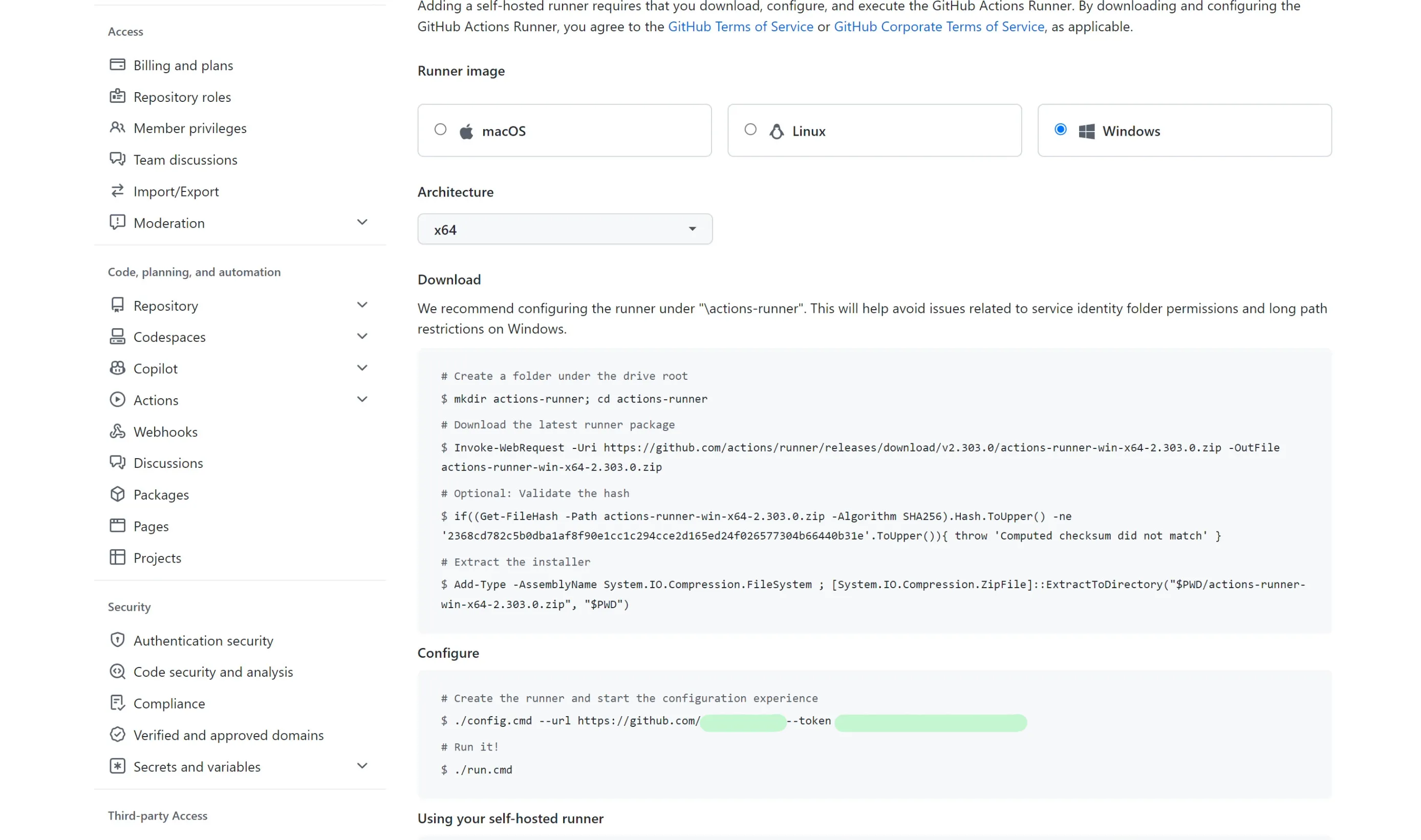
Downloading the Github Actions Runner on Windows and Extract it
Note that the suggested location for downloading the github runner on Windows is the Root Drive C:
# Create folders
New-Item -Path "C:\actions-runner" -ItemType Directory
Set-Location "C:\actions-runner"

# Download the zip file
Invoke-WebRequest -Uri https://github.com/actions/runner/releases/download/v2.303.0/actions-runner-win-x64-2.303.0.zip -OutFile actions-runner-win-x64-2.303.0.zip

# Check hash
if((Get-FileHash -Path actions-runner-win-x64-2.303.0.zip -Algorithm SHA256).Hash.ToUpper() -ne '2368cd782c5b0dba1af8f90e1cc1c294cce2d165ed24f026577304b66440b31e'.ToUpper()){ throw 'Computed checksum did not match' }

# Extract the zip file
Add-Type -AssemblyName System.IO.Compression.FileSystem ; [System.IO.Compression.ZipFile]::ExtractToDirectory("$PWD/actions-runner-win-x64-2.303.0.zip", "$PWD")
Registering the Host as Self hosted github runner
Pre-requisite
Generate the <<TOKEN>> using Github REST API and replace it in the command shown below
Checkout https://www.narenvadapalli.com/blog/generating-token-for-github-runner-registration/ for a way to use Github’s REST API to generate the token
Otherway would be to pick it up from the webpage as explained the first section under Configure section after the --token argument to config.cmd
Single Command
Following is a single command that will
- Register as self-hosted github runner
- Actions runner, running as a Windows Service => Automatically starts on reboots
You can run the following command with appropriate values replaced for the host to automatically
C:/actions-runner/config.cmd --url https://github.com/<<ORG_NAME>> --token <<TOKEN>> --unattended --runasservice --runnergroup <<RUNNER_GROUP>> --labels '<<COMMA_SEPARATED_ADDITIONAL_LABELS>>'' --windowslogonaccount <<WINDOWS_LOGIN_USERNAME>> --windowslogonpassword <<WINDOWS_LOGIN_PWD>> --work _work