
Under the Hood of Moonshot AI's Kimi K3: The Architecture of 3-Trillion Parameter Thinking Models
A comprehensive developer guide to Moonshot AI's Kimi K3. Comparing K3, K2.7 Code, K2.6, and K2.5 across Preserved Thinking, reasoning effort, 1M context, API quickstart, organizational best practices, and prompt engineering.
Series: ← Anthropic’s Claude Opus 5: Frontier Reasoning, Benchmarks, and Prompt Engineering (Previous) | Scale and Performance: Serving LLMs with vLLM and llm-d (Next) →
Prior Reading Material
Before diving into Kimi K3’s architecture, explore our prerequisite articles on open-weights model scaling, reasoning gateways, and local serving optimizations:
- Google’s Gemini 3 Family: The Comprehensive Developer Guide and Model Comparison — Architectural analysis of Gemini 3.6 Flash, 3.5 Flash-Lite, and intelligent task routing.
- Thinking Machines’ Inkling: Under the Hood of the 975B Parameter Open Multimodal MoE — Analyzing Mixture-of-Experts (MoE) routing parameters and local/cloud serving footprints.
- vLLM vs. llama.cpp: Which is the Real Production King? — Benchmarking multi-GPU tensor parallelism against low-overhead edge serving.
The landscape of artificial intelligence is experiencing a fundamental architectural shift. While traditional auto-regressive language models generate tokens sequentially based solely on static context, thinking models (or reasoning models) introduce a dedicated pre-response deliberation phase. By generating internal “reasoning tokens” before returning a final answer, these models break down complex problems, plan execution steps, and evaluate edge cases in real time.
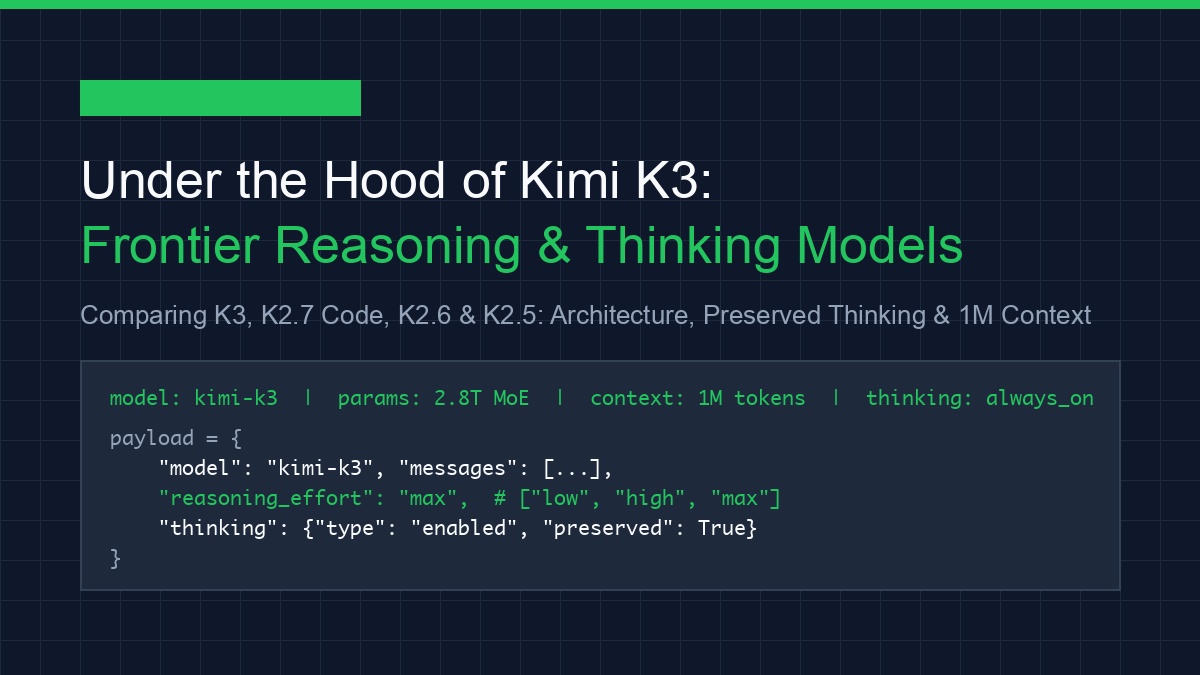
Moonshot AI has emerged at the forefront of this paradigm shift with the release of Kimi K3, a flagship 2.8-trillion parameter Mixture-of-Experts (MoE) model.
Release Timeline Distinction: Kimi K3 became available on hosted API platforms on July 16th, 2026. Its official open-weights weights release is scheduled for July 27th, 2026, allowing organizations to host and serve Kimi K3 on private cloud infrastructure.
Kimi K3 introduces groundbreaking features such as Preserved Thinking across multi-turn conversations, configurable Reasoning Effort, and a native 1-million token context window.
In this comprehensive guide, we dive deep into the architecture of Kimi K3, compare it against its predecessor generations (kimi-k2.7-code, kimi-k2.6, and kimi-k2.5), explore the full quickstart workflow from the official Kimi Platform Documentation, break down all 9 core model capabilities, review enterprise organizational best practices, and master Kimi prompt engineering.
Hugging Face Model Card Summary
According to the official Hugging Face Kimi K3 Model Overview, Kimi K3 introduces native micro-scaling quantization (MXFP4) to optimize 2.8T MoE inference memory bounds:
| Specification Attribute | Model Card Detail |
|---|---|
| Model Repository | moonshotai/kimi-k3-open-weights |
| Architecture Base | Sparse Mixture-of-Experts (MoE) + Kimi Delta Attention (KDA) |
| Total Parameter Count | 2,800 Billion (2.8 Trillion) total parameters |
| Active Parameters per Token | 37 Billion active parameters (16 out of 896 experts routed) |
| Supported Quantizations | MXFP4 (Micro-Scaling 4-bit), FP8, BF16 |
| Native Context Length | 1,000,000 tokens (1M token native window) |
| Thinking Architecture | Native Preserved Deliberation Tokens (reasoning_content) |
| License Type | Open Weights Permissive Commercial License |
The Evolution of Kimi Models: From K2.5 to K3
To select the optimal model for production workloads, developers must understand the feature progression across Moonshot AI’s model family.
flowchart TD
    subgraph K25["Kimi K2.5"]
        A1["General Purpose"] --> A2["Thinking: On by Default"]
        A2 --> A3["Preserved Thinking: ❌"]
    end
flowchart TD
subgraph K26["Kimi K2.6"]
B1["General Purpose"] --> B2["Thinking: Optional"]
B2 --> B3["Preserved Thinking: Supported"]
endflowchart TD
subgraph K27["Kimi K2.7 Code"]
C1["Code Focused"] --> C2["Thinking: Always On"]
C2 --> C3["Preserved Thinking: Always On"]
endflowchart TD
subgraph K3["Kimi K3 Flagship"]
D1["3T-Class MoE (16/896)"] --> D2["Reasoning Effort: Low/Medium/High/Max"]
D2 --> D3["Preserved Thinking: Always On"]
endDetailed Model Capability Matrix
| Model Identifier | Primary Focus | Thinking Behavior | Preserved Thinking | Reasoning Effort Control | Max Context Window |
|---|---|---|---|---|---|
kimi-k3 | Flagship Reasoning & Multimodal | Always On | Always On | Configurable (low, medium, high, max) | 1,000,000 tokens |
kimi-k2.7-code | Code Generation & Debugging | Always On | Always On | Fixed | 256,000 tokens |
kimi-k2.7-code-highspeed | High-Throughput Code Generation | Always On | Always On | Fixed (Low Latency) | 256,000 tokens |
kimi-k2.6 | General Purpose Reasoning | On by default (Can disable) | Supported | Fixed | 128,000 tokens |
kimi-k2.5 | Legacy General Purpose | On by default (Can disable) | Not Supported | Fixed | 128,000 tokens |
Kimi Platform Quickstart & Setup Sequence
According to the official Kimi Platform Quickstart Guide, integrating Kimi K3 follows a standardized, OpenAI-compatible SDK workflow.
Step 1: Obtain API Credentials
- Register an account at the Moonshot AI Platform.
- Navigate to API Key Management and generate a new secret key.
- Export the credential in your terminal or application environment:
export MOONSHOT_API_KEY="sk-kimi-xxxxxxxxxxxxxxxxxxxxxxxx"
Step 2: Install OpenAI SDK
Because Moonshot AI implements an OpenAI-compatible interface, you can use the standard openai SDK:
pip install openai pydanticBreakdown of Model Capabilities
Kimi K3 exposes 9 distinct model capabilities as outlined in the Kimi Model Documentation:
flowchart TD
    subgraph Capabilities["Kimi K3 Model Capabilities Suite"]
        direction TB
        C1["1. Thinking Models (Deliberation Tokens)"] --> C2["2. Reasoning Effort (Low / Medium / High / Max)"]
        C2 --> C3["3. Multi-turn Chat (Preserved Thinking)"]
        C3 --> C4["4. Streaming (SSE Real-time Deliberation)"]
        C4 --> C5["5. JSON Mode (Structured Response Format)"]
        C5 --> C6["6. Partial Mode (Prefix Prefilling)"]
        C6 --> C7["7. Vision Input (High-Res Multimodal Image Analysis)"]
        C7 --> C8["8. Context Caching (90% Cost & Latency Reduction)"]
        C8 --> C9["9. Dynamic Tool Loading (Function Calling)"]
    end
1. Thinking Models & reasoning_content
When a request is submitted, Kimi K3 generates internal deliberation tokens before outputting the final response. These tokens are placed in message.reasoning_content:
{
  "id": "chatcmpl-kimi-k3-88192",
  "choices": [
    {
      "message": {
        "role": "assistant",
        "reasoning_content": "1. Inspect current mutex lock order...\n2. Detect potential deadlock between worker thread A and B...\n3. Formulate std::unique_lock fix.",
        "content": "Here is the thread-safe mutex implementation..."
      }
    }
  ]
}
2. Configurable Reasoning Effort
Steer deliberation depth via the top-level reasoning_effort parameter:
low: Minimizes reasoning overhead for latency-critical tasks.medium: Standard logic balance.high: Deep multi-step verification.max: Maximum deliberation depth for complex proofs, multi-file codebases, and architectural design.
3. Multi-Turn Chat & Preserved Thinking
Unlike conventional reasoning models that discard thinking tokens between chat turns, Kimi K3 supports Preserved Thinking. By passing previous assistant messages back to the API with their reasoning_content intact, Kimi K3 retains its full multi-turn step-by-step reasoning context.
4. Real-Time Streaming
Kimi K3 supports Server-Sent Events (SSE) streaming. As deliberation occurs, delta.reasoning_content chunks are emitted first, followed by delta.content chunks.
5. JSON Mode
Enforce strict structured output by setting response_format: {"type": "json_object"}.
6. Partial Mode (Prefix Prefilling)
Prefill the assistant’s response to lock exact output formats (e.g. forcing the response to begin with {\n "status": "success").
7. Vision Input
Pass high-resolution images via standard image_url payloads for multimodal reasoning and visual code extraction.
8. Context Caching
For prompts exceeding 1,024 tokens, Kimi K3 automatically caches prefix tokens. Subsequent queries sharing identical system prompts or reference documents receive up to a 90% cost reduction and reduced Time-to-First-Token (TTFT).
9. Dynamic Tool Loading
Supply dynamic JSON schema tool definitions via the tools parameter. Kimi K3 deliberates inside reasoning_content before deciding which function to call.
Runnable Python Client: All Capabilities Integrated
Below is a complete, runnable Python script (scripts/kimi_k3_capabilities_client.py) demonstrating Thinking, Reasoning Effort, Streaming, Context Caching, JSON Mode, and Tool Calling.
#!/usr/bin/env python3
"""
scripts/kimi_k3_capabilities_client.py
---------------------------------------
Complete Python integration client for Moonshot AI's Kimi K3 demonstrating:
1. Configurable Reasoning Effort ('high')
2. Streaming with separate reasoning_content and content streams
3. Preserved Thinking across multi-turn turns
4. Structured JSON Mode
5. Dynamic Tool Calling
"""

import os
import json
from openai import OpenAI

# 1. Initialize OpenAI client with Moonshot AI endpoint
client = OpenAI(
    api_key=os.environ.get("MOONSHOT_API_KEY", "sk-kimi-demo-key"),
    base_url="https://api.moonshot.cn/v1"
)

def demo_streaming_reasoning():
    print("=== Demo 1: Kimi K3 Streaming & Reasoning Effort ===")
    response = client.chat.completions.create(
        model="kimi-k3",
        messages=[
            {"role": "system", "content": "You are an expert distributed systems architect."},
            {"role": "user", "content": "Explain how PagedAttention reduces KV cache memory fragmentation."}
        ],
        extra_body={"reasoning_effort": "high"},
        stream=True
    )

    print("\n--- [Thinking Stream] ---")
    for chunk in response:
        delta = chunk.choices[0].delta
        if hasattr(delta, "reasoning_content") and delta.reasoning_content:
            print(delta.reasoning_content, end="", flush=True)
        elif delta.content:
            print("\n--- [Final Output Stream] ---")
            print(delta.content, end="", flush=True)
    print("\n===================================================\n")

def demo_json_mode():
    print("=== Demo 2: Kimi K3 Structured JSON Mode ===")
    response = client.chat.completions.create(
        model="kimi-k3",
        messages=[
            {"role": "system", "content": "You are a JSON generator. Return valid JSON only."},
            {"role": "user", "content": "List 3 key architectural features of Kimi K3 with descriptions."}
        ],
        response_format={"type": "json_object"},
        extra_body={"reasoning_effort": "medium"}
    )

    output = response.choices[0].message.content
    print(json.dumps(json.loads(output), indent=2))
    print("===================================================\n")

if __name__ == "__main__":
    if os.environ.get("MOONSHOT_API_KEY"):
        demo_streaming_reasoning()
        demo_json_mode()
    else:
        print("Set MOONSHOT_API_KEY environment variable to execute live API calls.")
Run the script locally:
python3 scripts/kimi_k3_capabilities_client.pyEnterprise Organization Best Practices
According to the official Kimi Organization Best Practices Guide, production deployments should adhere to five core operational guidelines:
- API Key Security & Rotation:
- Never hardcode API keys in source control.
- Create separate sub-keys for staging, testing, and production environments with restricted billing limits.
- Concurrency & Rate Limit Management:
- Implement exponential backoff with jitter when handling HTTP
429 Too Many Requestsresponses. - Use connection pooling for high-throughput microservices.
- Implement exponential backoff with jitter when handling HTTP
- Token Cost & Context Caching Optimization:
- Structure system prompts and reference documentation at the very beginning of the prompt to maximize Context Caching hit rates.
- Use
reasoning_effort: "low"for classification and simple extraction endpoints to save deliberation tokens.
- Fallback & Resiliency Architecture:
- Implement automated fallback routing to
kimi-k2.7-code-highspeedorkimi-k2.6during platform maintenance windows.
- Implement automated fallback routing to
- Team & Workspace Role Isolation:
- Assign granular Admin, Developer, and Finance roles across team members on the Moonshot Platform dashboard.
Kimi Prompt Engineering Best Practices
According to the Kimi Prompt Engineering Guide, writing effective prompts for Kimi K3 differs from standard non-thinking models:
-
Leverage Structured XML Tags: Organize inputs cleanly using explicit XML tags (
<instructions>,<context>,<constraints>,<example>):<instructions> Refactor the provided C++ function to use std::atomic for thread-safe counters. </instructions> <constraints> Do not introduce heavy std::mutex locks. Preserve zero-copy memory semantics. </constraints> <code_snippet> void increment_counter() { global_count++; } </code_snippet> -
Do Not Force Chain-of-Thought Manually: Avoid adding manual CoT instructions like
"Think step by step"in user prompts. Kimi K3 natively handles deliberation inreasoning_content. Manual CoT instructions can cause repetitive over-thinking. -
Match
reasoning_effortto Prompt Complexity:- Simple text formatting / regex extraction: Set
reasoning_effort: "low". - Multi-file refactoring / mathematical modeling: Set
reasoning_effort: "max".
- Simple text formatting / regex extraction: Set
Key Takeaways
- Release Milestones: Kimi K3 was launched on hosted APIs on July 16th, 2026, with official open weights released on July 27th, 2026.
- Preserved Thinking: Kimi K3 retains reasoning context across multi-turn conversations by preserving
reasoning_contentin conversation histories. - Full Capability Suite: Native support for 9 capabilities including Context Caching (90% savings), Vision Input, Partial Mode, and Dynamic Tool Loading.
- Enterprise Operational Best Practices: Adhering to the Kimi Organization Best Practices ensures secure API rotation, context cache optimization, and rate limit resilience.