
Extending Antigravity CLI: Building Custom Skills and Project Rules
Learn how to supercharge the Google Antigravity CLI (agy) by building custom agent skills, project-scoped rules, and custom scripts to automate repository-specific workflows.
This is Part 2 of a 4-part series on the Google Antigravity CLI. Read: Part 1 (Setup) | Part 3 (Background Tasks) | Part 4 (Custom Endpoints)
Recommended Background Reading
Before diving into this guide, it is recommended to read the previous post in the series:
- Setting up Google Antigravity CLI: The AI-First Terminal Assistant — A complete guide to installing, configuring, and authenticating the
agyCLI.
In our previous post, we walked through setting up the Google Antigravity CLI (agy) and running your first pair-programming sessions. Out of the box, the CLI is incredibly smart. It understands modern programming patterns, tests, and basic refactoring.
But where the Antigravity CLI truly becomes a 10x multiplier is when you teach it the specific patterns, standards, and domain knowledge of your project.
In this guide, we will explore how to extend the Antigravity CLI using Rules (via AGENTS.md) and Custom Skills (packaged agent capabilities with scripts, prompts, and resources).
1. The Anatomy of Antigravity Customizations
Antigravity CLI loads configurations from two distinct levels:
- Global Customizations: Applied universally to all workspaces you work on.
- Path:
~/.gemini/config/
- Path:
- Project-Scoped Customizations: Specific to a repository (and version-controlled with your code).
- Path:
<your-project-root>/.agents/
- Path:
Within these customization roots, you can define:
- Rules (
AGENTS.md): A markdown file containing guidelines, style constraints, and general workspace rules that the agent must read and adhere to. - Skills (
skills/<skill_name>/): Modular directories that load instructions and scripts when a specific topic or command triggers them.
2. Tailoring Behavior with Project Rules (AGENTS.md)
If you want the agent to adopt your team’s coding conventions without having to repeat them in every prompt, define them in AGENTS.md.
Create a file at .agents/AGENTS.md in your project’s root directory:
# Project Rules & Style Guidelines

## Tech Stack & Architecture
* We use **Astro** for our frontend static site routing and pages.
* Styling must use **Vanilla CSS** inside the `index.css` or scoped `<style>` blocks. Do not use TailwindCSS unless explicitly requested.
* All component files should use kebab-case (e.g., `resume-card.astro`).

## Git and Branching Workflow
* When creating a branch for a new blog, name it `feature/antigravity-<slug>`.
* Git commit messages must start with a lowercase action verb (e.g., "add blog post on skills", "fix layout shift").
* Always run `npm run build` locally to verify build correctness before creating a Pull Request.

## Documentation
* Preserve all JSDoc blocks and existing code comments unless explicitly told to refactor them.
Whenever the Antigravity CLI is launched inside this workspace, it automatically scans and merges these rules into its system prompt.
3. Creating Modular Skills
While rules are loaded globally in a session, Skills are conditional. They are loaded dynamically when the agent detects they are relevant to the user’s request.
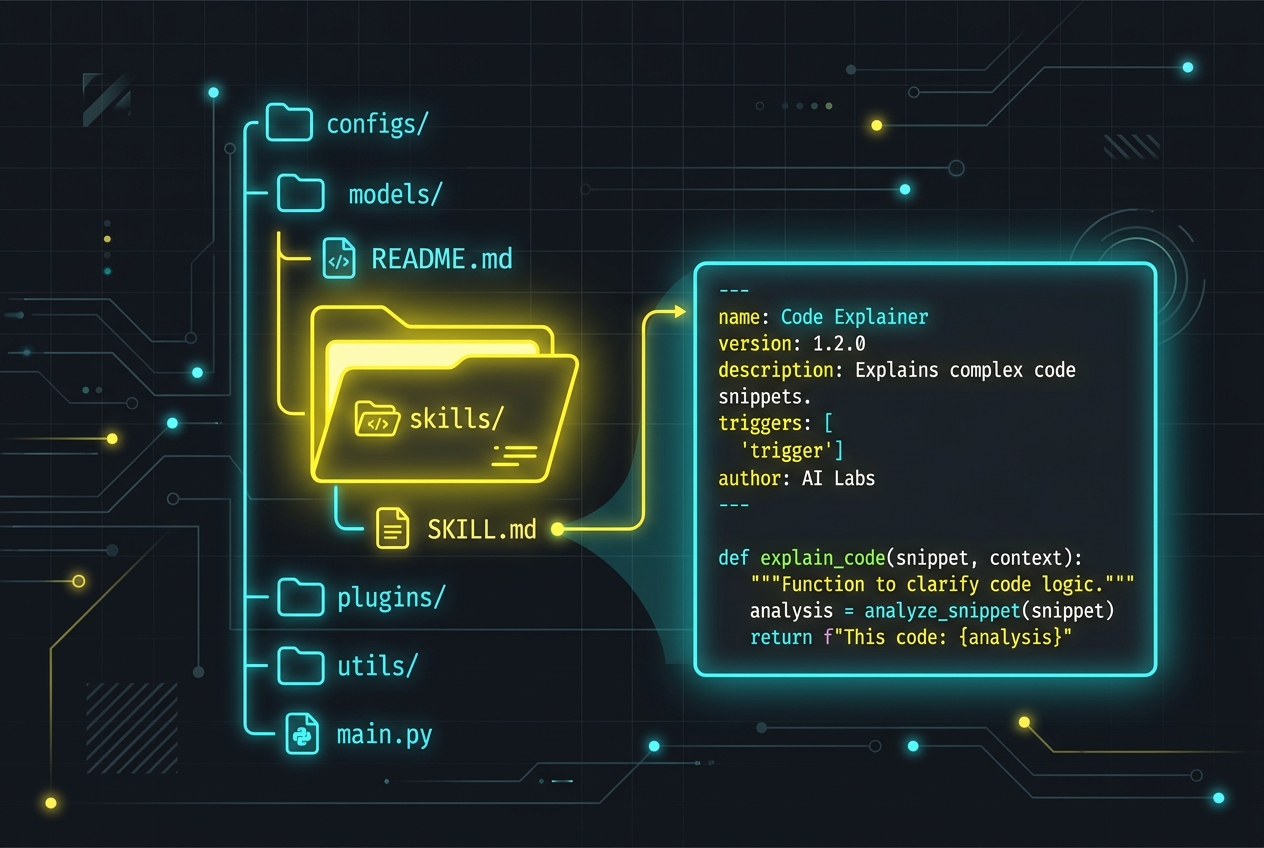
A skill is defined as a directory containing a SKILL.md file (which holds YAML frontmatter and instructions), along with optional subdirectories like scripts/, examples/, and resources/.
Let’s build a custom skill to validate and format blog posts before publishing.
Step A: Create the Directory Structure
Create a new folder under .agents/skills/:
mkdir -p .agents/skills/blog_validator/scriptsStep B: Define SKILL.md
Every skill must contain a SKILL.md file with a name and description in its frontmatter. These are the trigger strings the agent matches against.
Create .agents/skills/blog_validator/SKILL.md:
---
name: blog-validator
description: Validates blog frontmatter, structure, date format, and asserts that the slug format matches the directories.
---

# Blog Validator Skill Instructions

You are equipped with the `blog-validator` skill. Use this skill whenever the user asks you to write, modify, validate, or publish a new blog post.

## Guidelines
1. Ensure the markdown frontmatter contains exactly `title`, `date` (YYYY-MM-DD), `template` (must be "blog"), and `description`.
2. Do not use raw HTML tags inside blog posts unless absolutely necessary.
3. Validate that the directory name matches the URL slug.
4. Execute the validator script located at `scripts/validate.js` to perform programmatic validation.
Step C: Build the Supporting Script
You can attach utility scripts to your skill. The agent can invoke these tools in the sandbox environment.
Create .agents/skills/blog_validator/scripts/validate.js:
#!/usr/bin/env node
const fs = require('fs');
const path = require('path');

// Basic script to check if the newest blog post has valid markdown structure
const blogDir = path.join(process.cwd(), 'contents/blog');
const subdirs = fs.readdirSync(blogDir).filter(f => fs.statSync(path.join(blogDir, f)).isDirectory());

console.log("🔍 Running programmatic blog verification...");

subdirs.forEach(dir => {
  const indexFile = path.join(blogDir, dir, 'index.md');
  if (fs.existsSync(indexFile)) {
    const content = fs.readFileSync(indexFile, 'utf8');
    if (!content.startsWith('---')) {
      console.error(`❌ Validation failed: ${dir}/index.md is missing YAML frontmatter!`);
      process.exit(1);
    }
  }
});

console.log("✅ All blogs verified successfully!");
process.exit(0);
Ensure the script is executable:
chmod +x .agents/skills/blog_validator/scripts/validate.js4. Custom Skills in Action: Terminal Walkthrough
Once defined, the skill is automatically discovered by the Antigravity CLI since it is placed in the standard .agents/skills/ root.
Here is what it looks like when you invoke the CLI and request a blog check:
naren@macbook portfolio % agy
AGY> Let's make sure our newest blog post looks good and matches our standards.

🤖 Detecting relevant skills...
   Loaded skill: blog-validator (.agents/skills/blog_validator)

🤖 Executing blog validation rules...
   Checking frontmatter fields on contents/blog/extending-antigravity-cli-with-custom-skills/index.md
   - Title found
   - Date format matches YYYY-MM-DD
   - Template set to "blog"

🤖 Proposing script execution: node .agents/skills/blog_validator/scripts/validate.js
   [Review Required] Run command 'node .agents/skills/blog_validator/scripts/validate.js'? (Y/n): y

   🔍 Running programmatic blog verification...
   ✅ All blogs verified successfully!

AGY> I've activated the blog-validator skill, verified your markdown frontmatter, and run the validator script. Everything looks perfect and is ready to push!
5. Sharing Custom Skills (Via skills.json)
If you build complex skills that you want to share across multiple separate projects without duplicating code, you can register external paths using a skills.json file in your customization root.
Create .agents/skills.json in your repository:
{
  "entries": [
    { "path": "../shared-dev-skills/ci-validator" }
  ],
  "inherits": [
    { "path": "../global-configs/skills.json" }
  ]
}
This makes it easy to maintain central repositories of organizational skills (e.g., standard API linters, Docker helpers, or security compliance scanners) and inherit them selectively.
Wrap Up
By investing a small amount of time in setting up .agents/AGENTS.md and custom skills, you transform the Antigravity CLI from a general-purpose AI coding tool into an integrated member of your team that knows your rules, follows your architecture, and respects your codebase safety guidelines.
Start small by codifying your team’s code review checklist in AGENTS.md, and watch your terminal workflow speed up!