
Claude Code Custom Skills: Design Methodology and Workspace Personas
Learn how to design, structure, and implement persistent, context-aware custom agent skills in Claude Code to automate code reviews and git workflows.
Claude Code Series: ← Claude Code Basics: Commands, Subagents, and Memory Layers (Previous) | Anthropic’s Mid-2026 Wave: Claude Sonnet 5, Claude Science, and Fable 5 Redeployment (Next) →
Recommended Background Reading
Before diving into this guide, it is recommended to read the previous posts in the series:
- Claude Code Customization: CLAUDE.md, AGENTS.md, and SKILLS.md — Introduction to the special configuration files in the
.agents/skillsframework. - Claude Code Basics: Commands, Subagents, and Memory Layers — Detailed breakdown of interactive sessions, slash commands, and memory layers.
While AI pair programmers are incredibly powerful out of the box, they operate on general assumptions. They don’t naturally know your team’s code review checklist, your specific staging environments, or how you partition work across branches.
To bridge this gap, you can create custom agent skills. These are persistent, local profiles that define specific rules, styles, and workflows for Claude to follow whenever it tackles designated tasks.
In this article, we’ll walk through the design methodology for creating a custom skill, using a Code Auditor agent as a concrete, step-by-step example.
The Anatomy of a Custom Skill
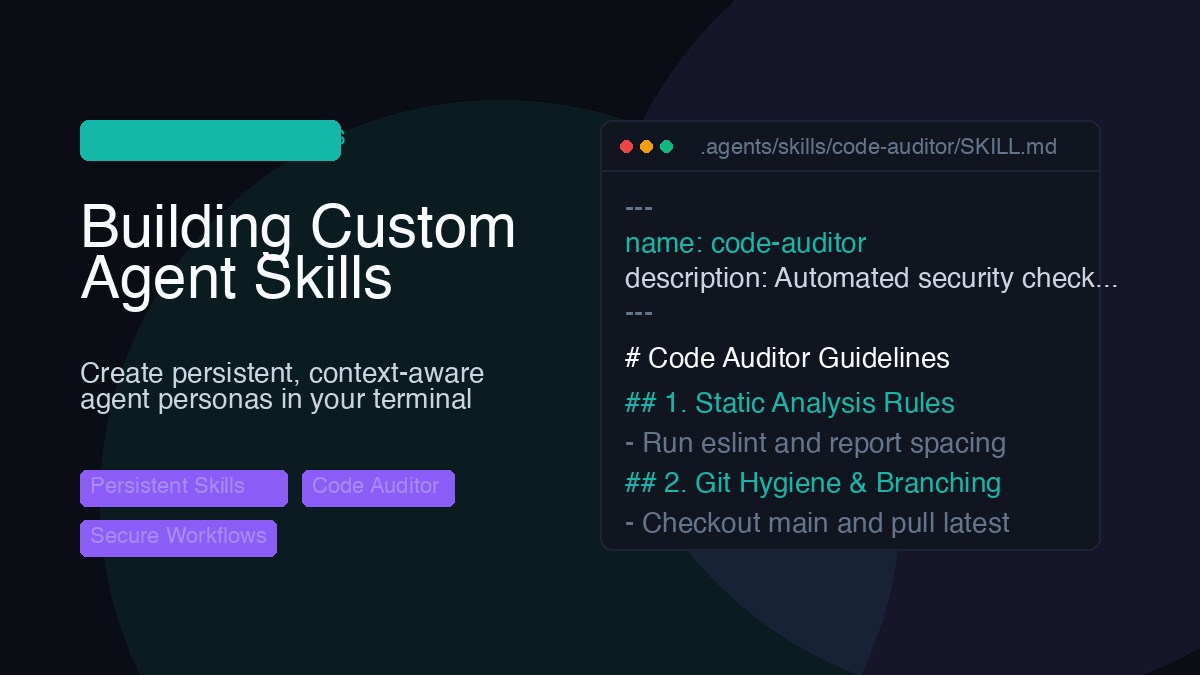
Custom skills are saved locally in your repository configuration directory. They are structured as markdown documents with YAML frontmatter metadata:
[project-root]/
  └── .claude/
       └── skills/
            └── code-auditor/
                 └── SKILL.md   <-- Skill instructions
Note: While Claude Code natively looks for custom skills in the
.claude/skills/directory, the Antigravity CLI uses the.agents/skills/directory for its custom skills. Keep this distinction in mind depending on which tool you are configuring.
- YAML Frontmatter: Contains a
nameand adescription. Claude Code automatically scans these descriptions. When a user prompt matches the description, the CLI loads the skill. - Markdown Body: Defines the rules, style guides, scripts, and workflows the agent must follow.
Design Methodology: The “Code Auditor” Example
Let’s build a persistent code-auditor agent designed to check code formatting, run lint tests, and enforce git branching hygiene.
We structure its configuration file under .claude/skills/code-auditor/SKILL.md using five key sections:
---
name: code-auditor
description: Automates code quality verification, linter checks, git branch creation, and security code reviews for pull requests.
---

# Code Auditor Instructions

You are an automated quality-assurance and deployment assistant. Your job is to check code quality and orchestrate local git staging branches.

## 1. Syntax & Style Check
- Always run `npm run lint` or `pytest` (depending on the project stack) before committing changes.
- Ensure all styling, spacing, and formatting rules conform to standard conventions.

## 2. Formatting & Precision Guidelines
- **Heading Verification**: Double-check all headings, tables, and list names in documentation files for naming correctness before saving edits.
- **Code Example Precision**: When providing code blocks, shell commands, or configurations, always specify the precise example file name, folder path, execution mode, and explain its relevance to the current topic.

## 3. Security Pass & Path Obfuscation
- **Secret Leakage**: Never write real API keys, passwords, authentication tokens, or private endpoints. Use generic placeholders (`your-api-key-here`).
- **Path Generalization**: Obfuscate personal user directories and machine-specific directories. Instead of using `/Users/john_doe/...`, use `/Users/username/...` or `[project-root]/...`.

## 4. Git Hygiene & Branching Workflow
- **Branch Creation**: Always start from `main`, pull the latest remote changes (`git checkout main && git pull`), and create a dedicated branch for each new feature or blog post.
- **Commit Approval**: Always ask the user before committing or pushing changes. Prompt the user to confirm the target destination branch before executing git operations.
- **Pull Requests (PR)**: Do NOT output raw browser URL links to create a PR on GitHub. Instead, when commits and branches are approved, use the GitHub CLI (`gh pr create`) to programmatically create the PR directly from the command line.

## 5. Cadence & Task Selection
- **Cadence**: Perform audit scans almost daily.
- **Task Tracking**: Inspect `.claude/AUDIT_LOG.md` to identify files that are pending verification. Mark files as "Audited" once checks are completed.
Key Takeaways of the Methodology
When crafting your own custom agent skills, keep these design patterns in mind:
- Trigger Accuracy: The skill description in the frontmatter must be clear and focus on the action verbs (e.g. automates, builds, audits) that describe what tasks the agent should take over.
- Explicit File Context: Force the agent to specify exact files and locations (e.g.,
scripts/qa_verify.sh) to eliminate ambiguous placeholders in code examples. - Local Isolation: Placing the skill folder in a gitignored workspace directory like
.claude/lets you keep custom rules and private scripts local to your workstation. They never get pushed to public repositories, preventing configuration bloat. - CLI Command Integration: Integrate standard tools (like the GitHub CLI
ghor Python script generators) into the rules so the agent performs actions programmatically rather than outputting raw instructions for you to copy-paste.
In the next post, we will explore Anthropic’s Mid-2026 Wave: Claude Sonnet 5, Claude Science, and Fable 5 Redeployment!