
File permissions on Windows - chmod 400 in Powershell
Powershell equivalent of chmod 400 for Windows files
Problem Statement
chmod 400 is recommended for the secret key files most of the times. But how does one reliably know that this happens on a file inside Windows environment
Theory / Basis
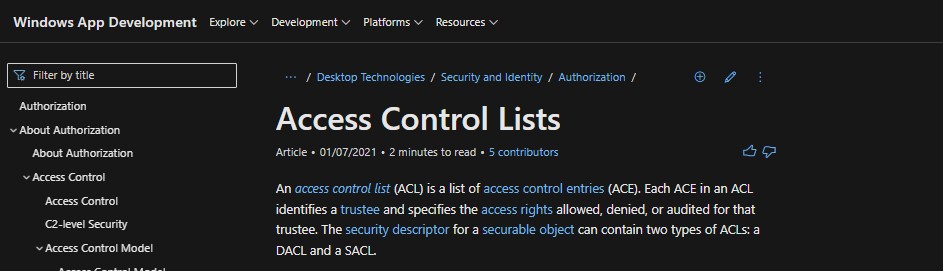
Windows uses something called Access Control Lists to specify the permissions on a given entity (File/Folder)
REF: https://docs.microsoft.com/en-us/windows/win32/secauthz/access-control-lists
Sequence of Commands to run
Inspect the original ACL information on the key file
Note the FullControl and the Access for other parties apart from the Current user XXX
PS > $pemfile="C:\Users\XXX\.ssh\naren-uswest1-aws.pem"
PS > Get-Acl $pemfile | Format-List

Path   : Microsoft.PowerShell.Core\FileSystem::C:\Users\XXX\.ssh\naren-uswest1-aws.pem
Owner  : XXXPC\XXX
Group  : XXXPC\XXX
Access : NT AUTHORITY\SYSTEM Allow  FullControl
         BUILTIN\Administrators Allow  FullControl
         XXX\XXX Allow  FullControl
Audit  :
Sddl   : O:S-1-5-21-2530534273-3221850710-2763415746-1001G:S-1-5-21-2530534273-3221850710-2763415746-1001D:PAI(A;;FA;;;
         S-1-5-21-2530534273-3221850710-2763415746-1001)
Get the ACL handle to the file
PS > $acl = Get-Acl $pemfileGet the current username
PS > $username = [System.Security.Principal.WindowsIdentity]::GetCurrent().NameCreate a new AccessRule object with intended permission to be applied to ACL and apply to the ACL then the ACL to the file
PS > $accessRule = New-Object System.Security.AccessControl.FileSystemAccessRule($username,"Read","Allow")
PS > $acl.SetAccessRule($accessRule)
PS > $acl | Set-Acl $pemfile
Disabling the inheritance (Equivalent to File -> Right click -> Properties -> Security -> Advanced -> Disable Inheritance)
PS > $acl.SetAccessRuleProtection($true,$false)
PS > $acl | Set-Acl $pemfile
Inspect the file after applying the ACL and disabling the inheritance
Observe the Access attribute doesn’t have FullControl anymore and just has the required permissions for the current user
PS > Get-Acl $pemfile | Format-List

Path   : Microsoft.PowerShell.Core\FileSystem::C:\Users\XXX\.ssh\naren-uswest1-aws.pem
Owner  : XXXPC\XXX
Group  : XXXPC\XXX
Access : XXXPC\XXX Allow  Read, Synchronize
Audit  :
Sddl   : O:S-1-5-21-2530534273-3221850710-2763415746-1001G:S-1-5-21-2530534273-3221850710-2763415746-1001D:PAI(A;;FR;;;S-1-5-21-2530534
         273-3221850710-2763415746-1001)