Custom Model Endpoints: Hooking up Local & Enterprise Models with Antigravity CLI
Learn how to configure the Google Antigravity CLI (agy) to run with local LLMs (Ollama, vLLM) or private enterprise endpoints for maximum privacy and cost efficiency.
This is Part 4 of a 4-part series on the Google Antigravity CLI. Read: Part 1 (Setup) | Part 2 (Custom Skills) | Part 3 (Background Tasks)
Recommended Background Reading
Before diving into this guide, it is recommended to read the previous posts in this series:
- Setting up Google Antigravity CLI: The AI-First Terminal Assistant — Basic installation and settings.
- Extending Antigravity CLI: Building Custom Skills and Project Rules — Understanding how to extend the agent’s logic.
- Going Async: Background Tasks, Timers, and Scheduling in Antigravity CLI — Managing long-running terminal executions asynchronously.
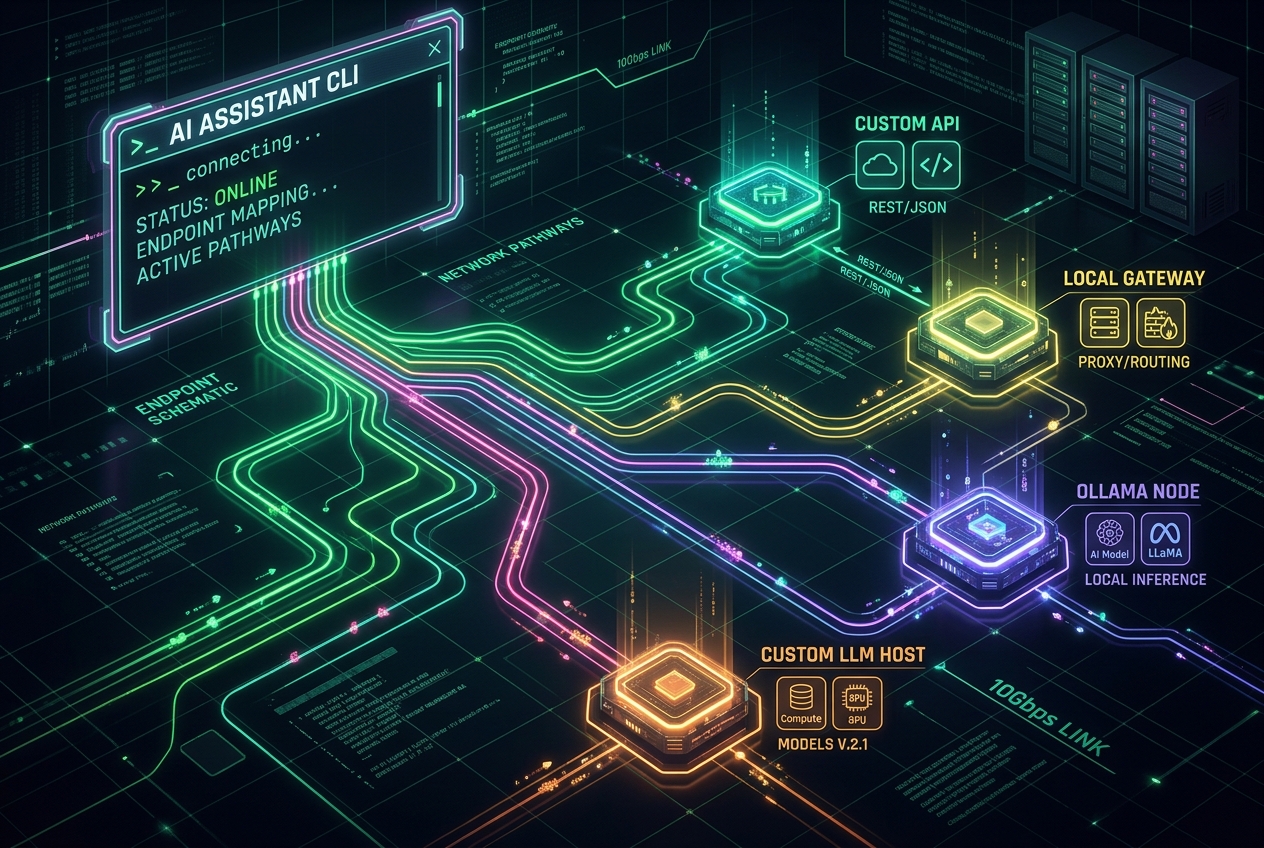
While the Google Antigravity CLI (agy) runs incredibly fast using Gemini public API endpoints, many teams and developers have strict privacy requirements or prefer utilizing local computing resources. Whether you want to avoid sending code to external servers, minimize API costs, or leverage custom-tuned local models, Antigravity CLI offers first-class support for custom model endpoints.
In this guide, we’ll walk through configuring the CLI to point to local LLM runners (like Ollama or vLLM) and private enterprise API gateways.
1. Why Configure Custom Endpoints?
Running your terminal assistant against a custom endpoint offers several advantages:
- 🔒 Data Privacy & Compliance: Code files, git histories, and database schemas never leave your local environment or corporate network.
- 💰 Zero API Cost: Run inference locally on your GPU (e.g. using Apple Silicon or NVIDIA RTX cards) with no token billing.
- 🔌 Offline Access: Develop and pair-program in environments with limited or no internet access (e.g. on flights or secure on-prem datacenters).
- 🎯 Specialized Fine-Tunes: Hook up models trained specifically on your company’s proprietary libraries or languages.
2. Configuring settings.json for Custom Endpoints
To change where Antigravity CLI sends its LLM requests, you modify the global config file at ~/.gemini/antigravity-cli/settings.json.
By default, the settings are configured to use Google’s public endpoints:
{
  "model": "gemini-3.5-flash"
}
To redirect requests, you can define the customEndpoints block. Here is a configuration that overrides the endpoint for standard chat and code completion tasks:
{
  "model": "custom-local-model",
  "customEndpoints": {
    "llmUrl": "http://localhost:11434/v1",
    "apiKey": "local-dummy-key",
    "provider": "openai-compatible"
  },
  "enableTerminalSandbox": true
}llmUrl: Points to the API endpoint hosting the model’s completion routes.provider: Instructs the agent how to format request payloads. Standard values includeopenai-compatible(useful for Ollama, vLLM, and LM Studio) orvertex-ai(for private Google Cloud projects).
3. Running with Local LLMs (Ollama)
Ollama is one of the easiest ways to run open-weight models locally. If you have Ollama installed, follow these steps to connect it to Antigravity CLI:
Step A: Run a Capable Local Model
Ensure you are running a model that supports tool usage or function calling, as the Antigravity agent relies on tools to read files and run tests. Good starting candidates include llama3.1 or mistral-nemo.
ollama run llama3.1Step B: Update your settings.json
Point the CLI configuration to your local Ollama port:
{
  "model": "llama3.1",
  "customEndpoints": {
    "llmUrl": "http://localhost:11434/v1",
    "provider": "openai-compatible"
  }
}
Now, when you launch agy, it will query your local Ollama instance for all completions and decisions.
4. Hooking Up Private Enterprise API Gateways
For teams operating behind corporate proxies or private clouds, you can route requests through internal API gateways. This configuration supports custom headers (like auth tokens or proxy targets) and enterprise compliance protocols:
{
  "model": "enterprise-gemini-gateway",
  "customEndpoints": {
    "llmUrl": "https://gateway.internal.corp/ai/v1",
    "provider": "openai-compatible",
    "headers": {
      "X-Corp-Auth-Token": "env:CORP_API_TOKEN",
      "X-Routing-Group": "engineering-agentic"
    }
  }
}
💡 Security Tip: Avoid hardcoding raw authentication tokens inside your JSON settings. Use the
env:prefix to read secrets directly from environment variables (e.g.,"X-Corp-Auth-Token": "env:CORP_API_TOKEN").
5. Choosing the Right Local Model for Agentic Workflows
When selecting a model to run locally with Antigravity, keep the following agent requirements in mind:
- Function Calling Support: The agent needs to decide when to call tools like
view_fileorrun_command. Models without robust function-calling performance may fail to coordinate multi-step tasks. - Context Window Size: Reading multiple files requires a large context buffer. Prefer models with at least a 32k context window.
- System Instruction Adherence: The model must respect instructions configured in your
.agents/AGENTS.mdrules without letting user prompt overrides break its sandbox guidelines.
Wrap Up
By routing the Google Antigravity CLI to custom endpoints, you get the absolute best of both worlds: a powerful, sandboxed terminal companion combined with complete data sovereignty and zero runtime API costs.
Set up Ollama, update your settings, and take your terminal pair-programming offline!